wanabet Home Connects Tables and Wallets
wanabet puts Live Blackjack Turbo, Crash Fast Lift, casino slots and football markets behind one account, with DANA, OVO, GoPay and QRIS visible beside the cashier…
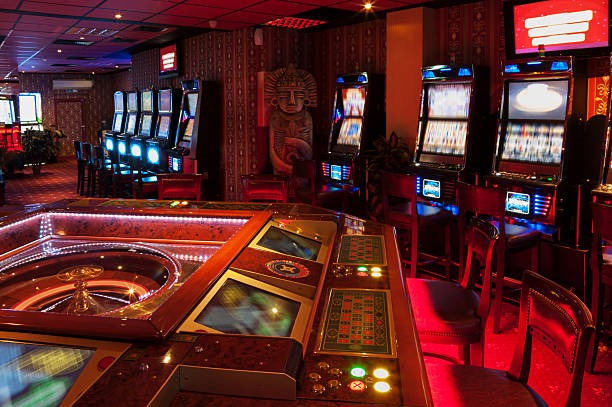
Find Casino and Slots Without Detours
Casino and slots sit together on our home lobby, so you can move from the main category row to live tables, slot rooms or fast-round games without searching…








Switch from Blackjack to Football Easily

Live Blackjack Turbo gives you a direct route into streamed dealer rounds, while Omaha Live Arena adds a card-room option for longer sessions. Crash Fast Lift and Fishing War Fast Round cover shorter formats, and the live area also includes baccarat, roulette and Dragon Tiger context. When you want a different pace, football, badminton and basketball markets are available through
the sportsbook category. We keep these areas under one account, so your home path does not change when you switch between casino tables, slots and sports. The category labels also remain visible on mobile, reducing repeated returns to the main menu.
See the Home Lobby at a Glance
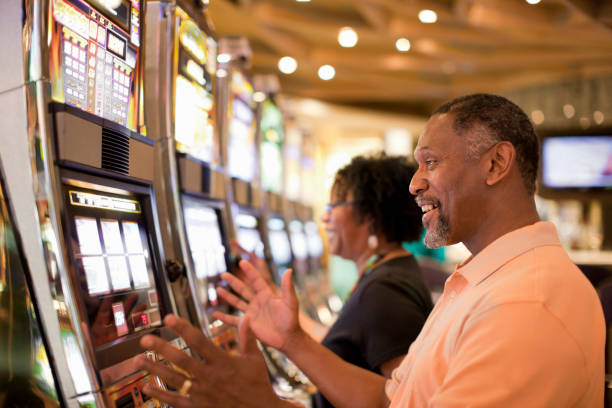
Reach Your Account with Clear Verification
Opening an account starts from the home account path, where you provide the requested details and confirm your phone before access is enabled. This phone step helps prevent confusion between a new account and an existing login, especially when you return from another device. Once verification is complete, the same account connects the casino lobby, sportsbook and local wallet area.
Keep the phone number you used available when checking access or asking for account help. If a login attempt stalls, use the account help route shown near the cashier rather than starting another account with different details.
Keep Casino and Slots Close on Mobile
Move from Login to QRIS Smoothly
One mobile route takes you from account login to the lobby and then into the cashier, without requiring a separate wallet page. QRIS appears alongside DANA, OVO and GoPay, so you can identify the payment rail before entering a transaction path. Slot search remains close to wallet status, while live tables open in the same browser session when your connection
and device support the stream. If you move to a wider screen later, your verified account remains the reference point for casino and sportsbook access. Always check the displayed payment status before returning to a game category.
Check Account and Policy Details Clearly
Clear operational details help you decide whether our home page fits what you need before opening an account.
Phone verification
We require the phone confirmation step before account access. This creates a clear distinction between opening an account and returning through the existing login path.
Named payment rails
Our cashier identifies DANA, OVO, GoPay, QRIS, bank transfer and virtual account routes, allowing you to select a real Indonesia payment method rather than guessing from a generic wallet label.
Visible category paths
Casino tables, slots and sportsbook markets have separate home categories under one account. You can identify where a game or market belongs before opening its page.
Policy access
Account terms and access wording remain reachable from the home page. Where eligibility is relevant, availability depends on local law and the conditions shown for your account.

Keep Phone Verification in Your Control
Your verified phone is the first account reference when you enter through our home login path or request help with access. Use the same details each time rather than creating overlapping account records, and keep your credentials private when moving between devices. The wallet area is reached only after account access, which separates public lobby browsing from cashier activity. Before
submitting any payment request, read the account name, selected rail and displayed status on the screen. If something does not match, leave the transaction path unchanged and contact account help near the cashier so the existing record can be checked.
See DANA and QRIS Status Clearly
DANA, OVO, GoPay and QRIS appear as distinct choices in our cashier, not as a single unnamed wallet option.
Browse Casino and Slots Beside Sports
Casino and slots remain one category move away from the sportsbook, letting you compare live-table, reel and sports options without leaving the home structure.
Follow Wallet and Withdrawal Status

Withdrawal requests begin inside the verified account cashier, where you can inspect the selected route and the status attached to the request. Check that your phone verification is complete and that the payment details displayed on screen are accurate before submission. We do not treat a provider receipt as the same thing as a completed account update; each record must
appear in the relevant status area. Processing can vary by the selected wallet or bank route, so rely on the status shown for your request rather than an assumed time. Keep reference details available if support needs to trace the transaction.
Resolve Login and Wallet Status Through One Path
Account help sits close to the cashier path because login trouble and payment-status questions often require the same verified account details. Before contacting us, note the selected rail, the status shown on screen and any receipt reference connected to the request. For access trouble, use the phone number tied to your account and describe the point where the login stopped. Keeping those details together helps us distinguish an account-access issue from a DANA, OVO, GoPay, QRIS, bank transfer or virtual account update without asking you to restart the process.
Account access help
Use the help path near the account and cashier area when login stalls. Have your verified phone number ready, but never place private credentials into an unrelated message or payment field.
Receipt checks
Keep the receipt reference, payment rail and displayed cashier status together. These details let us compare your request with the provider confirmation without asking you to repeat the transfer.
Wallet status help
Tell us whether you selected DANA, OVO, GoPay or QRIS and identify the status currently visible. For bank routes, include whether you used bank transfer or virtual account.
Know Where wanabet Home Is Available
Availability in Indonesia depends on local law, so check the access terms shown through our home policy path before opening an account or using a game category. The home page presents casino, slots, sportsbook, account and cashier routes, but seeing a category does not replace the eligibility conditions that apply where you are located. Payment methods can also depend on
the option displayed for your account at the time of use. We do not infer access from a city name or wallet alone. Read the current terms, complete phone verification accurately and use only the services made available through your account.
Answers About wanabet Home Access
Our home page is the starting point for account access, casino rooms, slots, sportsbook markets, local payments and help. The questions here address the practical checks you may make before opening an account or returning to an existing one. They explain where phone verification fits, which Indonesian payment rails appear, how mobile navigation behaves and where to check a transaction that has not updated. For location questions, remember that availability depends on local law and on the options shown for your account.